Smart Electric Kettle: A Practical How-To Guide
An in-depth guide to choosing, setting up, and using a smart electric kettle for precise brewing, energy efficiency, and safer operation.


You will learn how to select, set up, and safely use a smart electric kettle, with features like temperature presets, app control, and timers. This guide covers choosing a model, pairing via Bluetooth or Wi‑Fi, scheduling boils, and routine descaling. By the end, you'll brew tea faster with precise temps and safer, more energy-efficient operation. It's designed for homeowners and tea lovers.
Why a smart electric kettle is a smart choice for modern kitchens
According to Kettle Care, a smart electric kettle combines precision heating with safety features that reduce the guesswork of tea brewing. For homeowners who value consistency, these kettles offer temperature presets, timers, and the option to start boiling from a smartphone. The Kettle Care analysis shows that flexible temperature control can enhance flavor extraction for green, oolong, and black teas, while keeping water at the right temperature for coffee and instant foods. Beyond beverages, smart kettles can simplify morning routines, letting you program a wake-up boil or have hot water ready for quick soups. When you factor in temperature stability, built-in spouts, and keep-warm functions, these devices become practical kitchen investments with measurable convenience and quality. This section explains why modern kettles deserve a place in your safe, slow-brew routine.
How smart kettles differ from traditional kettles
Smart electric kettles build on the classic kettle by adding digital controls, connectivity, and automation. Traditional kettles focus on speed and volume, often boiling water to a single default temperature. In contrast, smart models offer multiple preset temperatures (for tea, coffee, candy making, or baby formula), scheduling options, and remote start via an app. The result is more consistent brewing temperatures, reduced energy waste, and the ability to integrate with smart home ecosystems. They also provide safety features like auto shutoff, boil-dry protection, and notification alerts when the water reaches the target temperature. For tea enthusiasts, the ability to hold a specific temperature for a defined period can unlock precise flavor profiles. This transition from basic to smart is about control, convenience, and repeatable outcomes, which many households find worthwhile after trying a few brews.
Key features to look for in a smart electric kettle
When selecting a smart kettle, prioritize temperature range and accuracy, number of presets, and the stability of the heating element. Look for app compatibility (iOS/Android), wireless connectivity standards (Bluetooth or Wi‑Fi), and the ability to set schedules. Practical extras include a clear LED or LCD display, a wide spout for easy pouring, and a durable, easy-to-clean interior (stainless steel or borosilicate glass). A quality lid with a secure latch reduces splashes, while an auto‑shutdown feature protects against overheating. Battery-like backup options aren’t common, but some models offer charging indicators for docking stations. Finally, ensure the device is certified and designed with safety in mind, such as boil-dry protection and a robust handle. This selection checklist helps you compare models quickly and confidently.
Connectivity: Bluetooth vs. Wi-Fi – what to know
Bluetooth kettles pair locally with a single device, making setup quick and simple without needing your home network. Wi‑Fi-enabled models connect to your home network, enabling remote control, multi-user access, and routine scheduling across devices. If you value ease of use and privacy, Bluetooth may suffice; if you want cloud-based reminders, voice assist, or integration with routines (like IFTTT), Wi‑Fi is advantageous. Consider your router stability and coverage in the kitchen, ensuring the kettle remains within range. For busy households, a hybrid approach (Bluetooth for quick tweaks and Wi‑Fi for schedules) can offer both speed and automation. This section helps you decide which connectivity path aligns with your daily cooking, tea rituals, and smart home setup.
Setup, pairing, and daily use
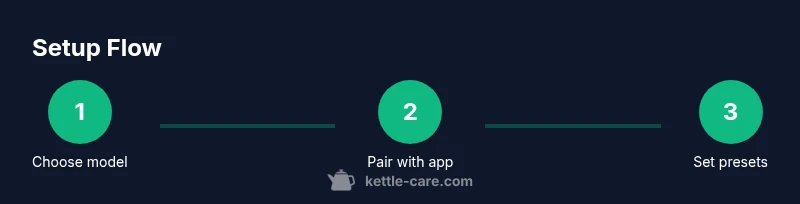
Beginning with unboxing, place the kettle on a dry, heat-safe surface away from the edge of counters. Fill with clean water and attach to power. Download the companion app from your device’s store, create an account, and follow on-screen instructions to pair the kettle via Bluetooth or Wi‑Fi. Once connected, customize presets, set timers, and enable boil-dry protection. Regular daily use includes selecting a preset for your morning tea, starting the boil remotely if your routine is timed, and using the keep-warm function sparingly to extend element life. This step-by-step path ensures a smooth transition from manual boiling to smart operation, with less guesswork and more consistency.
Temperature control, presets, and brewing accuracy
Programmable temperature control is the cornerstone of a smart kettle. Start by choosing presets tailored to tea types (green, white, oolong, black) and coffee, then adjust the exact temperature within a few degrees. Some models allow ramp-up times to mimic traditional steeping, which helps extract flavor without overheating delicate leaves. To maximize accuracy, perform a calibration so the displayed temperature matches the actual water temperature. Using a thermometer in a test boil can help verify accuracy for the first few brews. Over time, the app may learn your preferences and automatically adjust presets for your typical routines. This alignment between user taste and hardware precision is a key advantage of smart kettles.
Energy efficiency, safety considerations, and daily maintenance
Smart kettles are designed with energy‑saving modes and automatic shutoff when water reaches target temperature. To maximize efficiency, avoid pre-boiling extra water and use timers to start only when you actually need hot water. Safety features include boil-dry protection, heat-resistant handles, and secure lids to prevent scalding. Regular maintenance lowers mineral buildup and keeps performance high. Descale every few weeks if you have hard water, using a descaling solution recommended by the manufacturer. Battery‑like reserve features aren’t common; most kettles rely on straightforward electrical power. By following best practices for maintenance and safety, you’ll extend the life of the kettle while keeping your kitchen safer.
Descaling and long-term maintenance for longevity
Descaling is essential for maintaining performance, especially in hard-water areas. Use a manufacturer-approved descaler or a vinegar-based solution if recommended by the brand, and rinse thoroughly after treatment. Regularly check the seal on the lid, the condition of the power cord, and the filter if present. Wipe the exterior with a damp cloth to prevent buildup that can interfere with sensing mechanisms. Store the kettle in a dry place and avoid leaving it plugged in when not in use for extended periods. This section emphasizes routine care that preserves taste accuracy and extends service life over many brewing cycles.
Real-world usage scenarios and practical tips
In real life, a smart kettle shines for early mornings, college kitchens, and busy households where timing matters. Use presets to align with your breakfast tea or coffee ritual, and set up a reminder to refill or descale on a weekly basis. For families with different tastes, individual accounts or profiles keep temperature preferences organized. Incorporating the kettle into a broader smart kitchen routine—such as automating a hot water pour before tea time—provides a seamless experience. Remember, even smart devices need human oversight: periodically verify firmware updates and review app permissions to maintain security and performance.
Tools & Materials
- Smart electric kettle(Choose model with temperature presets and safe-boil features)
- Smartphone or tablet(For app setup and remote control)
- Stable power outlet(Keep away from water splashes and USB chargers)
- Wi-Fi network (2.4 GHz recommended)(Needed for cloud features and multi-device control)
- User manual(Reference for firmware updates and specific features)
Steps
Estimated time: 45-60 minutes
- 1
Assess your needs
Identify the features you want: presets, app control, voice compatibility, and speed. Compare models that fit your budget and kitchen space. This initial step narrows the field and speeds up later decisions.
Tip: List top 3 must-have features before shopping. - 2
Unbox and position
Place the kettle on a stable, dry surface away from the edge. Check that the base and cord are not frayed and that the outlet is reachable. Ensure the water fill line is visible and easy to read.
Tip: Keep a 6–8 inch clearance around the kettle for safety. - 3
Power up and app install
Plug in the kettle and download the companion app. Create or sign in to your account, then follow on-screen prompts to pair via Bluetooth or Wi‑Fi. Enable push notifications for maintenance alerts if available.
Tip: Update firmware to the latest version before first use. - 4
Configure presets and timers
Set your preferred temperatures for tea and coffee, and create timers to start boiling at specific times. Save these as presets for quick access during busy mornings.
Tip: Test each preset with a quick boil to verify accuracy. - 5
Run a test boil and calibrate
Boil a small amount of water and compare the temperature with a thermometer if you want precise calibration. Adjust the kettle’s settings as needed to match your target temperatures.
Tip: Document any adjustments for future reference. - 6
Schedule maintenance
Set reminders for descaling and filter checks. Regularly inspect seals and the power cord. Keep the exterior clean to prevent false sensor readings.
Tip: Descale more often in areas with hard water. - 7
Integrate into daily routine
Experiment with automations, such as starting hot water before tea time or syncing with a smart home routine. Use energy-saving modes when possible to reduce consumption.
Tip: Review app permissions annually for security.
Frequently Asked Questions
What defines a smart electric kettle?
A smart electric kettle offers programmable temperatures, app or voice control, and sometimes scheduling. These features enable precise brewing and hands-free operation, improving consistency and convenience in daily routines.
A smart kettle has presets, app control, and schedules for precise brewing with less guesswork.
Can I control it with a smartphone app?
Yes. Many models pair with a dedicated app over Bluetooth or Wi‑Fi, allowing you to set temperatures, start boils remotely, and receive maintenance alerts.
Yes, most smart kettles pair with a phone app for remote control and alerts.
Is it safe to leave a smart kettle plugged in all day?
Smart kettles include safety features like boil-dry protection and auto shutoff. It’s best practice to unplug when not in use for extended periods.
It’s safer to unplug when not in use for long periods, though many models shut off automatically.
Do smart kettles really save energy?
Smart kettles can reduce energy waste by using presets and timers, and by avoiding unnecessary boils. The savings depend on usage patterns and your home's electricity profile.
They can save energy through presets and smart scheduling, depending on how you use them.
What features matter most when buying a smart kettle?
Core features include accurate temperature control, multiple presets, reliable connectivity, and a durable build. Safety features and ease of cleaning also impact long-term satisfaction.
Accurate temperature control, presets, reliable connectivity, and safe, easy maintenance matter most.
How do I maintain a smart kettle?
Regular descaling, cleaning the interior, and checking seals extend life and performance. Keep Firmware updated and follow manufacturer guidance for safe operation.
Descale regularly, clean the interior, and update firmware for best results.
Can I integrate a smart kettle with a voice assistant?
Some models support voice assistants via compatible ecosystems. Check compatibility with your preferred platform before purchasing.
Some kettles work with voice assistants; verify compatibility first.
Watch Video
Highlights
- Choose a model with temperature presets for precise brewing.
- Decide Bluetooth vs. Wi‑Fi based on how you want to control it.
- Schedule regular descaling and firmware updates for longevity.